
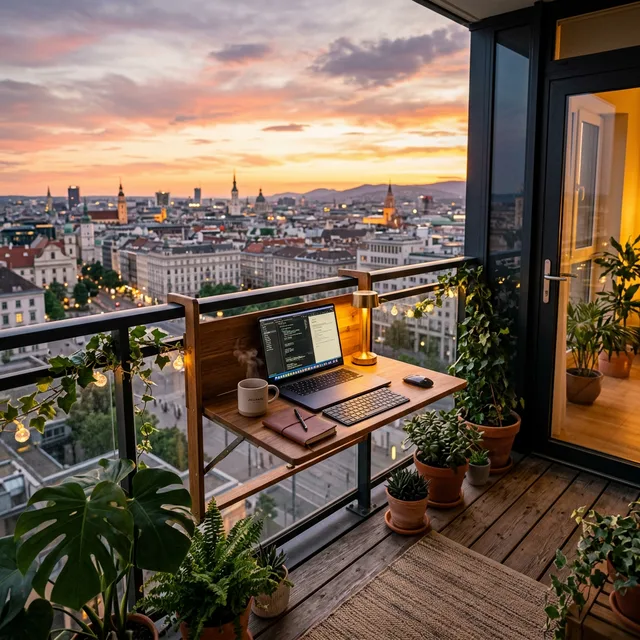
Working remotely from a 25sqm studio apartment quickly breeds claustrophobia. Staring at the same kitchen wall for 40 hours a week destroys your focus and blurs the fragile boundary between your professional and personal life. If you are desperate for a change of scenery but lack a dedicated spare room, executing a balcony home office setup transforms your neglected outdoor space into an elite, open-air productivity sanctuary. See more in our small-space living hub.
However, taking your laptop out to a rusty bistro table is not a true office setup. A balcony poses extreme ergonomic and technical challenges. You must battle blinding screen glare, inconsistent Wi-Fi, zero access to electrical outlets, and sudden weather shifts. Simply dragging an indoor chair outside will ruin the furniture and leave you with agonizing back pain within an hour.
In this detailed guide, we break down the 7 important elements required to engineer a flawless, weather-proof balcony home office setup that rivals any corporate corner office.
1. The Weather-Proof Folding Desk
You desperately need a solid, ergonomic surface to type on, but a traditional wooden desk will warp, rot, and delaminate after just one week exposed to high municipal humidity and rain. Furthermore, a permanent desk consumes the entire balcony footprint, robbing you of an evening structural lounge space.
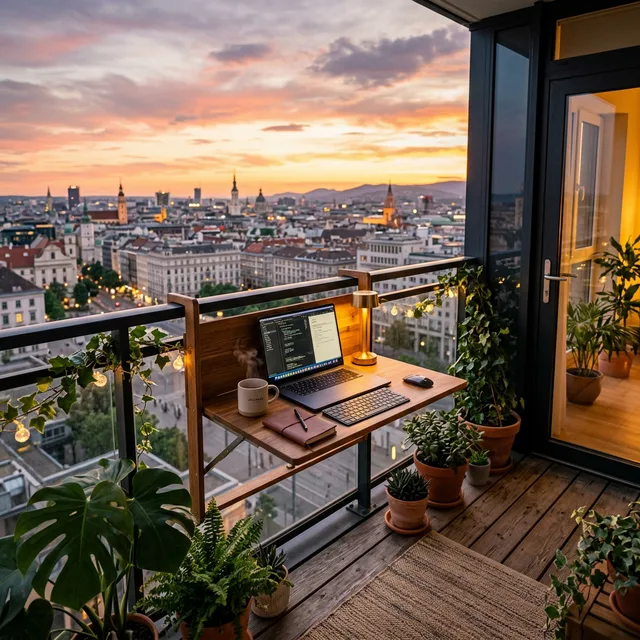
The foundation of a balcony home office setup is a collapsible, weather-proof desk. The absolute best renter hack is investing in a heavy-duty, powder-coated aluminum desk that clamps securely over the balcony railing. When deployed, it provides a stable 60cm deep surface for your laptop and coffee. At 5:00 PM, you unclip the support arm, and the desk drops completely flat against the railing, instantly returning your balcony to its original footprint. Because it is aluminum, it will never rust or swell in the rain.
2. Eradicating Screen Glare (The Monitor Hood)
The number one reason remote workers abandon their balcony office after 20 minutes is blinding screen glare. Modern glossy laptop screens reflect direct UV sunlight like mirrors, making it physically impossible to read spreadsheets or edit photos without maximizing the brightness and instantly draining your battery.
Do not try to squint through the glare. You must purchase a rigid, felt-lined laptop monitor hood. Originally designed for professional outdoor photographers, these lightweight, collapsible visors slip directly over the top of your laptop frame. They create a deep, dark shadow box around the screen, entirely blocking ambient side and overhead light. This $30 accessory is the single difference between actually working outdoors and just pretending to.
3. The Power Bank Extension Strategy
Almost zero rental apartment balconies feature an outdoor-rated, waterproof GFCI electrical outlet. Running a bright orange, indoor extension cord from your kitchen, through a sliding glass door, and across the balcony floor is a massive tripping hazard and a severe fire risk if it rains unexpectedly.
To power your balcony home office setup, you must go completely off-grid. Invest in a high-capacity, 100W PD (Power Delivery) lithium-ion power bank. These dense bricks are roughly the size of a thick paperback book but hold enough juice to charge a modern MacBook Pro from 0 to 100% twice over via USB-C. You charge the brick indoors at night, carry it outside in the morning, and work for 12 intense hours without ever agonizing over a dead battery mid-Zoom call.
4. The Wi-Fi Extender Bridge
Concrete and structural steel are the enemies of a strong internet connection. While your Wi-Fi router pushes blazing speeds in your living room, the moment it tries to penetrate the heavy double-paned glass and concrete walls leading to your balcony, the signal dies instantly.
Do not suffer through dropped calls or lagging video feeds. Buy a high-powered, plug-in Wi-Fi extender (or deploy a mesh network node). Plug this extender into the indoor wall socket closest to the balcony door. The extender catches the strong indoor Wi-Fi signal and forcefully rebroadcasts a fresh, dedicated 5GHz network straight through the glass directly to your balcony workspace, ensuring zero latency during important presentations. Automate power with smart plug hacks.
5. Ergonomic Outdoor Seating
A cheap aesthetic wire cafe chair or an adirondack lounge chair forces your spine into a “C” shape, guaranteeing intense lower back pain and neck strain by the afternoon.
You cannot bring your expensive Herman Miller office chair outside because the casters will degrade on the concrete and morning dew will ruin the mesh fabric. Your solution is a highly adjustable, outdoor-rated camping director’s chair or an ergonomic seating cushion. If you MUST use a hard balcony stool, pair it with a portable, orthopedic memory foam coccyx cushion. When the workday ends, carry the delicate cushion inside to protect it from moisture, leaving the hard, weather-proof chair frame outside permanently.
6. The Privacy Plant Screen
Working on a city balcony usually means you are entirely visible to hundreds of neighbors living in the surrounding high-rises. Feeling like you are inside a fishbowl destroys the deep psychological focus required for complex work tasks.
Build a living, breathing privacy screen. Line the railing of your balcony home office setup with deep rectangular planter boxes. Fill them with fast-growing, dense vertical plants like non-invasive clumping bamboo, tall ornamental grasses, or climbing ivy on a trellis. Not only do these plants physically block the wandering eyes of neighbors, but they also act as a natural acoustic baffle, slightly dampening the sharp, high-frequency sounds of urban street traffic below.
7. The 5-Minute “Bug Out” Routine
Despite sunny forecasts, urban weather is highly volatile. A sudden, aggressive afternoon thunderstorm can materialize in 10 minutes. If your desk is cluttered with expensive, non-waterproof gear, a panic scramble will result in broken laptops and soaked notebooks.
Your balcony office must be highly modular. Enforce the “5-Minute Bug Out” rule. You only bring the absolute minimum viable technology outdoors: your laptop, the power bank, and a headset. Keep these items corralled on a single, shallow wooden tray serving as your desk mat. If the sky turns black and the wind howls, you simply grab the entire tray with both hands, slide the glass door open, and pull your entire office inside to safety in a single, fluid motion without dropping thousands of dollars of tech onto the wet concrete.
Evaluating Balcony Office Gear
Use this chart to build your outdoor office based on your specific balcony constraints:
| Office Upgrade | Fixes Which Problem? | Storage Space Needed | Cost |
| Railing Desk | Zero floor space available | Drops flat | Medium |
| Monitor Hood | Blinding screen glare | Flat (Folds) | Low |
| 100W Power Bank | No outdoor outlets | Tiny (Drawer) | High |
| Wi-Fi Extender | Dead zones / Dropped calls | Zero (Plug) | Medium |
Safety Disclaimer: Never use a standard indoor extension cord or power strip outside on a balcony, even on a sunny day. A sudden spill from a coffee cup or unseen morning dew can bridge the connections and cause a fatal shock or a massive electrical fire. Always rely on battery power when outside.
Conclusion
A claustrophobic studio apartment does not have to dictate your remote work happiness. By engineering a rigorous balcony home office setup, you reclaim your focus, get massive doses of mood-boosting Vitamin D, and visually separate your work life from your bedroom. The secret is modularity: you must defeat glare, secure battery power, and ensure you can pack everything away the second a raincloud appears.
Ready to take your next Zoom call outdoors? Measure your balcony railing tonight and order a heavy-duty, fold-down aluminum desk to instantly transform your dead outdoor space into your primary office.
FAQ
Once your balcony office is set up, consider the sound environment — shared balconies and street noise are the #1 complaint for outdoor remote workers. Our apartment noise-proofing guide covers directional techniques that also help filter balcony sound. And for keeping the space green without distraction, smart self-watering herb gardens add biophilic benefits with zero daily maintenance.
Will the heat from the sun ruin my laptop battery?
Yes. Prolonged, intense exposure to direct 30°C sunlight can cause a lithium-ion laptop battery to swell or permanently degrade. This is why a monitor hood (which provides shade over the entire chassis) or working under a high UV-blocking balcony umbrella is absolutely important.
How do I deal with annoying wind noise on my microphone during calls?
Just like a news reporter in a hurricane, you must use a ‘dead cat’ or a thick foam pop filter on the boom microphone of your headset. Additionally, utilize AI-driven noise-cancellation software (like Krisp) that algorithmically strips out wind and traffic noise before it hits the Zoom call.
Is a Wi-Fi mesh network better than a plug-in extender?
Yes. While an extender creates a separate network (e.g., “Home_EXT”) that you must manually switch your laptop to, a mesh network creates one massive, unbroken bubble of coverage. However, a mesh system is significantly more expensive than a simple $30 plug-in extender.
