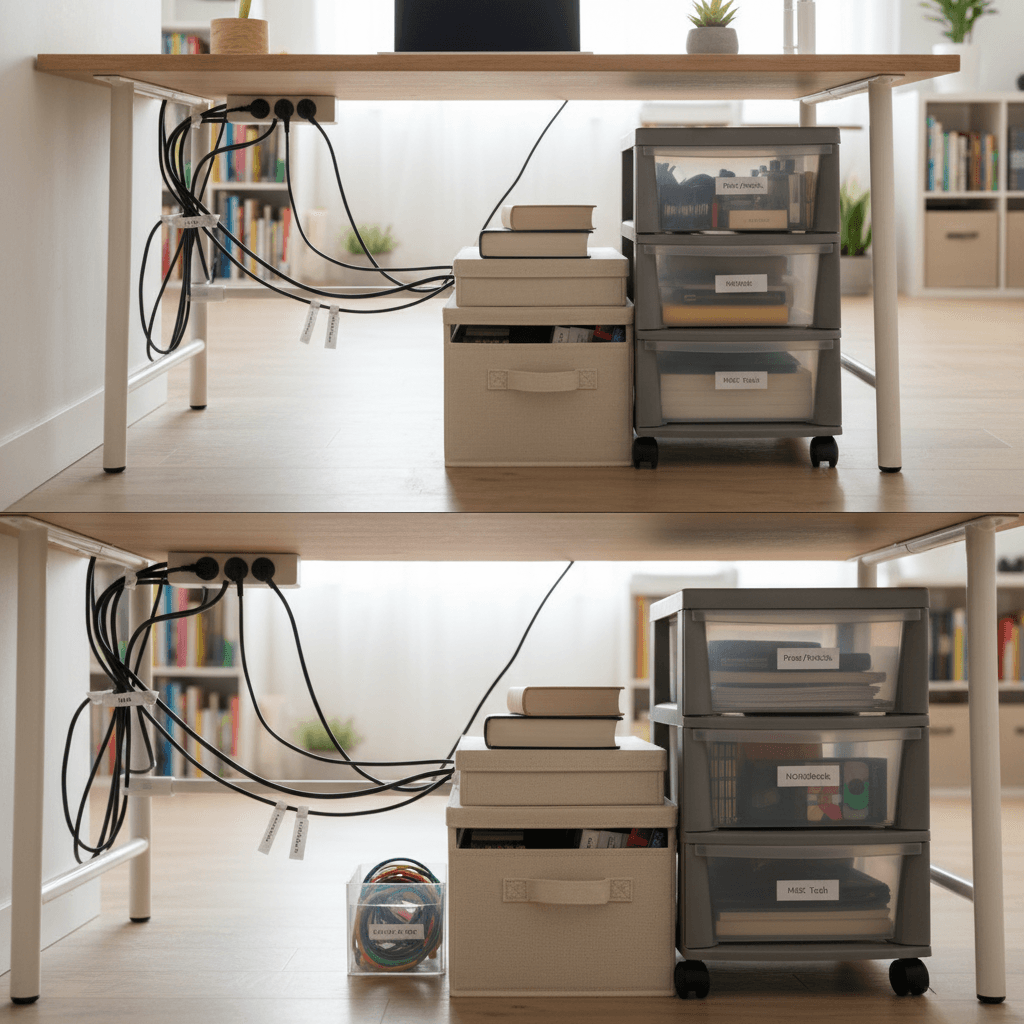
Working from a micro-apartment forces your living room, bedroom, and home office to occupy the exact same footprint. While a clean desk promotes focus, a tangled nest of black cords spilling onto your floor creates instant visual chaos. Mastering under desk cable management is essential to keeping your tiny studio looking like a chic home, rather than a disorganized IT server room.
When you rent a small flat, you cannot drill massive routing holes through antique hardwood floors or pull baseboards apart to hide ethernet cables. You need solutions that are 100% renter-friendly, easily removable, and robust enough to handle the dense power needs of modern remote work setups (laptops, monitors, chargers, and smart speakers).
In this tactical guide, we break down the 7 most effective under desk cable management hacks to completely invisibilize your tech footprint.

1. The Wire Basket Power Strip Hideaway
The foundation of zero-visible-cables is getting the power strip off the floor. Leaving a power strip on the ground acts as a magnet for dust bunnies, looks terrible, and makes mopping around your desk impossible.
Install a metal wire management basket directly underneath the back edge of your desk. Renter-friendly versions clamp onto the edge of the desk with heavily padded C-clamps, requiring absolutely zero drilling. Once secured, drop your main surge protector directly into the basket. Now, instead of 6 cords travelling down to the floor, all your plugs stay hidden directly beneath the desk surface, with only one single main cable running out to the wall outlet.
2. Using Cable Sleeves for the “Umbilical Cord”
Even with a hidden power strip, you will inevitably have that one main cable—and perhaps an ethernet or monitor cable—that must travel from the desk down to your wall socket.
Do not let these cables hang loosely. Group them together tightly and wrap them in a flexible neoprene cable sleeve or a spiral plastic wrap. Consolidating four thin, messy wires into one thick, neat “umbilical cord” instantly cleans up the visual line. For maximum stealth, choose a cable sleeve color that perfectly matches your wall paint or the leg of your desk.
3. Adhesive Cable Clips for Routing
If you work on a glass desk or a table with severe space constraints, a large wire basket might be too bulky.
Instead, rely on heavy-duty adhesive cable clips (like those backed with 3M tape). Stick these clips along the underside rim of your desk or down the back of a desk leg. You can route individual mouse cords, keyboard wires, and monitor cables tightly along the frame of the desk out of sight. When running cables down a desk leg, always route them down the back-facing side so they are completely invisible from the front of the room.
4. The Magnetic Charger Catch
Losing your phone charging cable or laptop USB-C cord behind the back of the desk is a daily frustration that ruins your workflow.
Rather than letting loose cables dangle or taping them down, buy small magnetic cable catches. You stick a tiny metal base to the edge of your desk, and clip small magnetic collars onto your charging cords. When you unplug your phone, the cable snaps magnetically to the edge of the desk instead of sliding off into the abyss. It keeps essential charging tips precisely where you need them, without generating clutter.
5. Repurposing the Back of Your Monitor
Most modern external monitors have large, flat, plastic back panels that remain hidden against the wall. This is prime, invisible real estate.
Use strong double-sided mounting tape to attach lightweight tech accessories directly to the back of your monitor. You can hide a flat USB hub, an external hard drive, or even a streaming stick (like a Roku or Chromecast) right on the monitor’s rear casing. By keeping these peripherals off the desk surface, you drastically reduce the length of the cables required and eliminate visual clutter entirely.
6. The “Baseboard Channel” Trick
If your desk is positioned far away from the nearest wall outlet, you must run an extension cord across the floor. Trailing a neon orange or thick black cord across the room ruins the aesthetic of any apartment.
Instead, invest in a plastic cord cover channel that matches your floor trimmings. These D-shaped plastic channels feature an adhesive backing. You press them directly above your apartment’s baseboards, snap the extension cord inside, and close the channel. The cord effectively becomes part of the wall architecture, completely invisible to anyone walking into the room.
7. Short-Length Custom Cables
One of the biggest culprits of cable nests is simply having too much slack. If your laptop is 10 centimeters away from your monitor, you do not need a 2-meter long HDMI cable looping around itself four times.
While it requires a small financial investment, calculating the exact distance between your devices and purchasing custom, short-length cables (like a rigid 30cm USB-C to DisplayPort cable) is the ultimate finishing touch. Removing slack entirely eliminates the need for zip-ties and makes your setup look like it was professionally installed.
Evaluating Cable Management Gear
Use this chart to prioritize your cable management purchases for your apartment:
| Hack / Tool | Fixes Which Problem? | Drill Required? | Cost |
|---|---|---|---|
| Clamp-on Basket | Surging power strips on floor | No | Low/Med |
| Neoprene Sleeve | Loose cables traveling to wall | No | Low |
| Adhesive Clips | Wires dangling mid-air | No | Very Low |
| Magnetic Catch | Chargers falling behind desk | No | Low |
Safety Disclaimer: Never tightly bundle power cords together with data cables using heavy-duty zip-ties, as compressed power cables can overheat. Furthermore, ensure adhesive strips are rated as “damage-free” before sticking them to landlord-owned furniture or painted walls.
Conclusion
A minimalist desk setup heavily relies on the magic trick of rendering technology invisible. By executing rigorous under desk cable management, you reclaim your visual space and make your micro-apartment feel instantly cleaner and more intentional. The secret is simple: get everything off the ground, consolidate loose wires into sleeves, and hide your power strips.
Ready to clean up the chaos? Crawl under your desk right now, unplug everything, and start by routing all cables through a single, neat neoprene sleeve.
How do I remove adhesive cable clips without peeling rental paint?
Use a hairdryer on a medium heat setting to gently warm the adhesive pad. Once warm, slide a piece of dental floss firmly behind the clip to slice through the foam tape safely without pulling the paint.
Are clamp-on wire baskets stable enough for heavy power bricks?
Yes, high-quality steel racks with padded C-clamps can easily hold massive MacBook charging bricks, heavy power strips, and external drives without bending.
Can I hide my router under the desk inside the wire basket?
While physically possible, placing a Wi-Fi router directly next to overlapping power cables and thick metal desk frames can severely degrade your internet signal. It is better to mount routers high up on a wall or open shelf.